
TL;DR. URL slugs are one of the few ranking-adjacent details a site owner controls outright, no algorithm mystery involved, just the characters sitting after the domain. Backlinko's analysis of 11.8 million Google results found position-1 pages average URLs 9.2 characters shorter than position-10 pages, and separate research ties descriptive, keyword-rich slugs to a 12 to 18% bump in click-through rate over auto-generated ones. The ranking effect itself stays modest next to something like domain authority, but modest is not the same as irrelevant.
What is a URL slug?
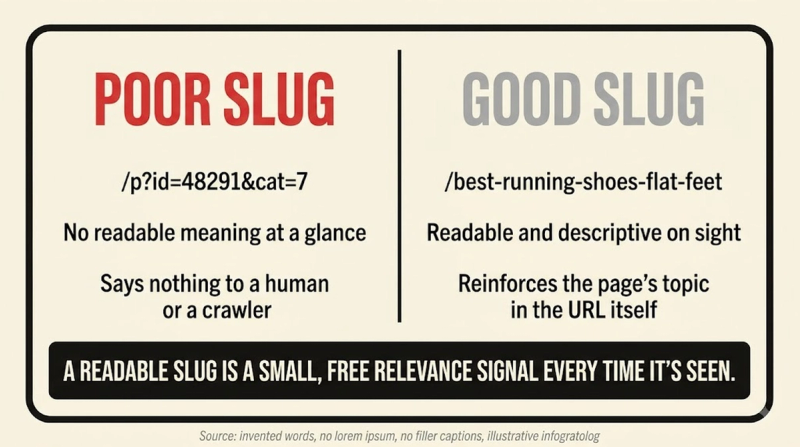
URL slugs are the specific, human-readable segment of a web address identifying one page, the words url-slug in https://www.oshwetank.com/glossary/url-slug, for instance, sitting after the domain and any folder path. Most CMS platforms generate a slug automatically from a page's title, and the useful step happens after that, trimming filler words down into a compact label search engines, AI crawlers, and human visitors all read the same way, unlike an opaque database ID or a string of tracking parameters.
Key highlights
- URL length has a ceiling worth respecting. Ahrefs' study of more than a billion pages found URLs longer than 115 characters show a measurable drop in average rankings.
- Backlinko's analysis of 11.8 million Google results, built on Ahrefs data, found position-1 pages average URLs 9.2 characters shorter than position-10 pages, with first-page results overall averaging 57 characters.
- Descriptive, keyword-rich slugs increase click-through rate by 12 to 18% compared with auto-generated ones, per industry CTR research, since a searcher can see the topic before ever clicking.
- Most 2026 SEO guidance settles on 3 to 5 words, roughly 50 to 60 characters, as the practical sweet spot for slug length, per Letter Counter's slug guidelines.
How much URL length actually moves rankings
URL length correlation is real, not dominant. Backlinko's research measures a direct relationship between length and ranking position, but that relationship carries far less weight than domain authority or backlink profile once those stronger signals get factored in. Shortening a URL at the cost of clarity is a bad trade either way, a clear, moderately short slug beats an artificially chopped one that no longer says what the page is about.
Writing a slug that holds up over time
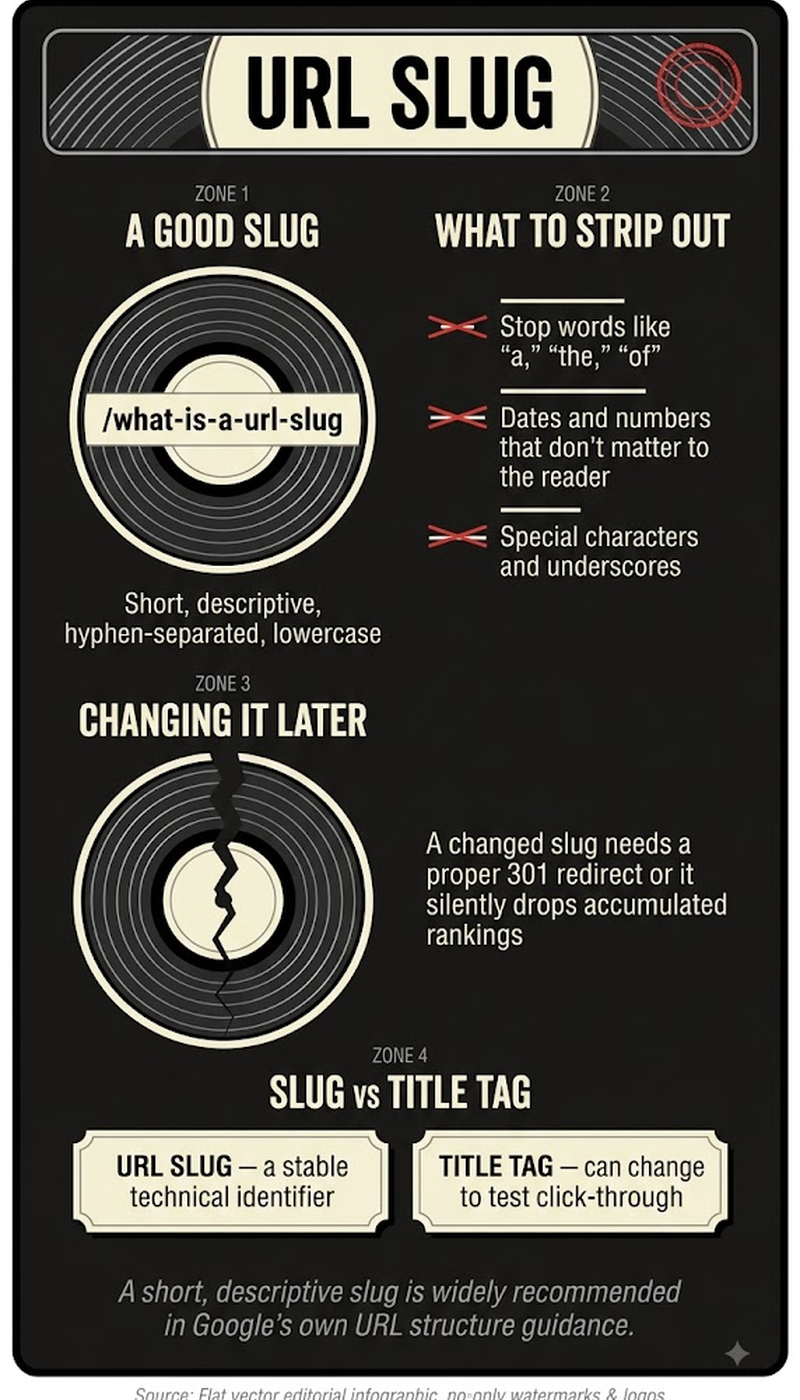
- Use 3 to 5 words describing the page's actual topic, landing around 50 to 60 characters total.
- Separate words with hyphens, never underscores or spaces, since Google indexes each hyphen-separated word on its own.
- Work in the page's primary keyword once, naturally, rather than repeating it or stacking synonyms.
- Drop stop words like a, the, and of unless removing them changes the meaning.
- Skip dates in the slug unless the content is genuinely date-bound, a news piece or an event page.
The mistakes that quietly break a URL
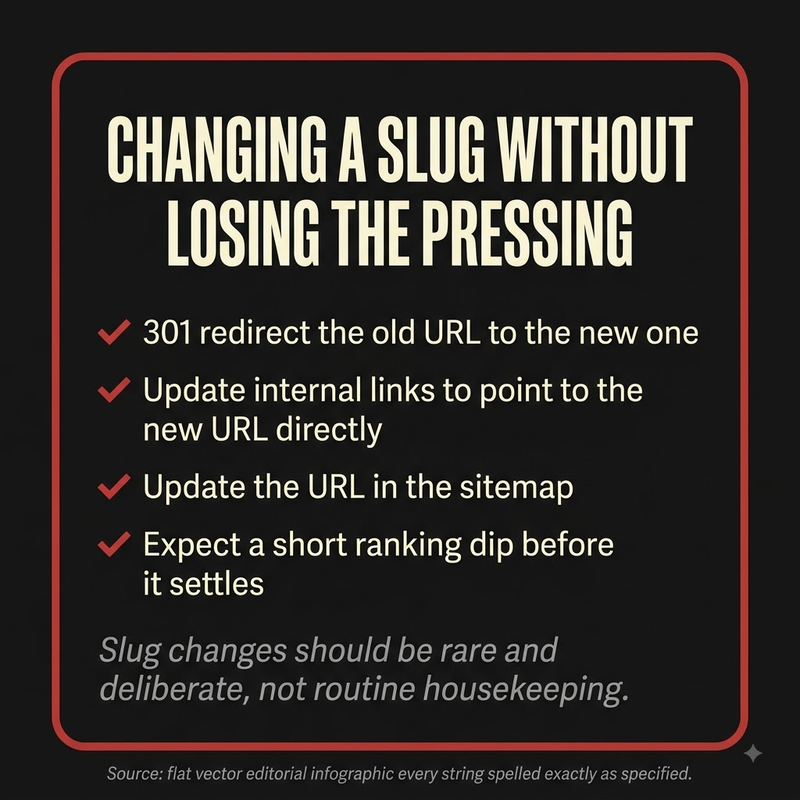
- Changing a published slug without a 301 redirect in place, which breaks every backlink and ranking signal tied to the old address.
- Packing the slug with tracking parameters or session IDs that add length without adding meaning.
- Mixing capital letters into the slug, which can create duplicate-content problems on servers that treat URLs as case-sensitive.
- Letting the CMS auto-generate a slug from a long headline and never trimming it down.
Frequently asked questions
What is a URL slug?
A URL slug is the readable segment of a page's address identifying it specifically, sitting after the domain name. Most are generated automatically from the page title, then edited down into a short, topic-relevant phrase.
Is there a real ranking penalty for a long URL?
Long URLs do carry a measurable, if modest, ranking penalty. Ahrefs found URLs beyond 115 characters show a drop in average rankings, and Backlinko's data shows the gap compounding down the results page, position-1 results average noticeably shorter URLs than position-10 results.
Is it safe to change a slug after a page is already published?
Changing a published slug is safe only paired with a proper 301 redirect from the old address to the new one. Skip that step and the change breaks existing backlinks, wipes out accumulated ranking signals, and can strand visitors on a dead page.
Does putting the keyword in the slug actually help?
Including the target keyword once, naturally, helps on two fronts: search engines index each hyphenated word individually, and searchers are measurably more likely to click a result whose URL visibly matches what they typed. Forcing the keyword in twice or stacking synonyms tends to look spammy without adding any real benefit.


