
What Is Interaction to Next Paint (INP)?
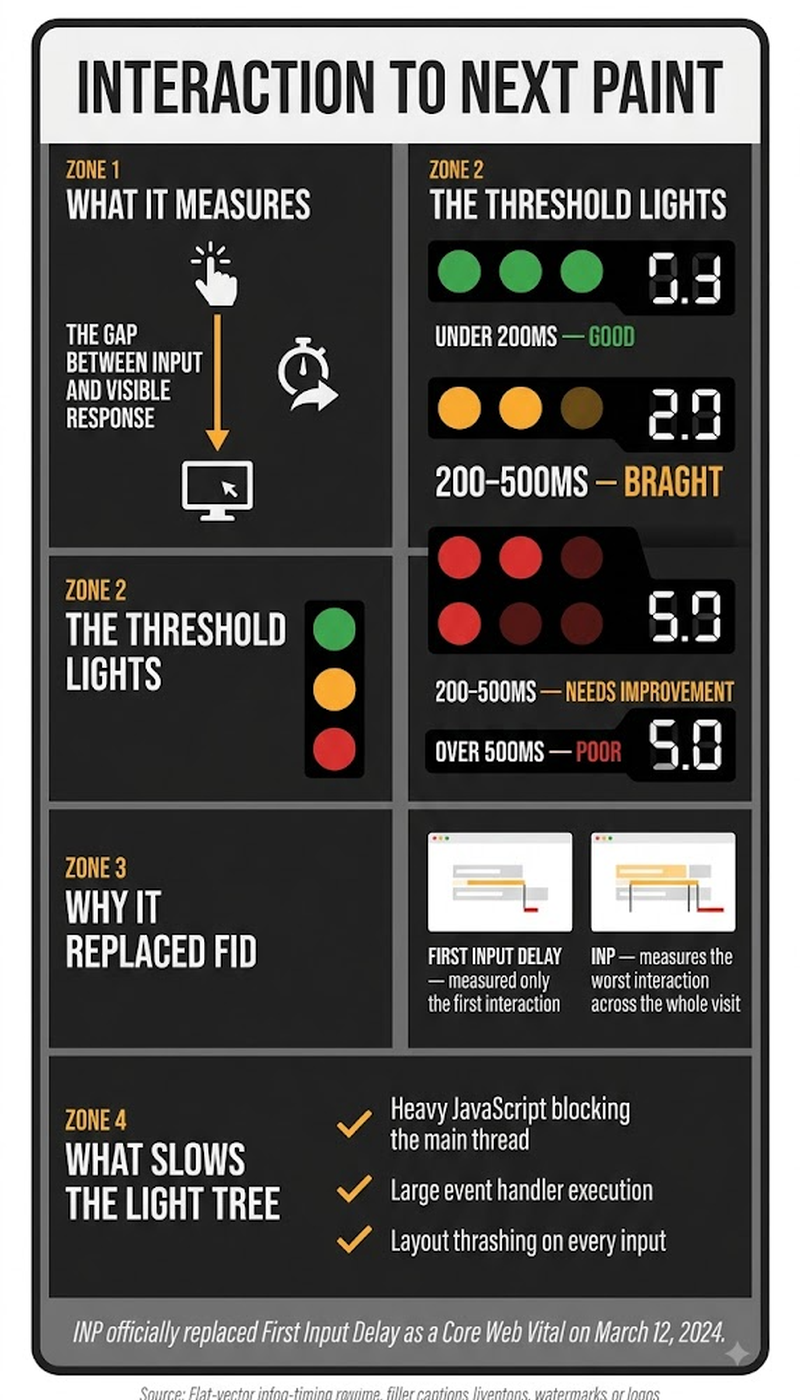
Interaction to Next Paint (INP) is one of Google's three official Core Web Vitals. It measures the responsiveness of a page across every interaction a user makes during their visit, not just the first one, by tracking the time between a user's action (a click, tap, or key press) and the moment the browser visually updates in response. Google made INP the official responsiveness metric in March 2024, replacing First Input Delay (FID), which only measured the delay before a browser began processing a user's very first interaction. Google considers an INP under 200 milliseconds "good," 200 to 500 milliseconds "needs improvement," and anything above 500 milliseconds "poor."
Key Takeaways
- INP measures responsiveness across every interaction throughout an entire page visit, not just the first one — a meaningful expansion beyond what FID, its predecessor, measured.
- Google's thresholds: under 200 milliseconds is "good," 200-500 milliseconds is "needs improvement," above 500 milliseconds is "poor." These are measured entirely from real user field data, since INP can't be simulated the way lab-based metrics can.
- Because INP requires actual user interactions to measure, it can only be assessed through field data. There's no way to generate a true INP score in a lab test, the way Largest Contentful Paint and Cumulative Layout Shift can be simulated.
- Heavy JavaScript execution — often from third-party scripts, analytics tags, or chat widgets competing for the browser's main thread — is the most common cause of poor INP scores.
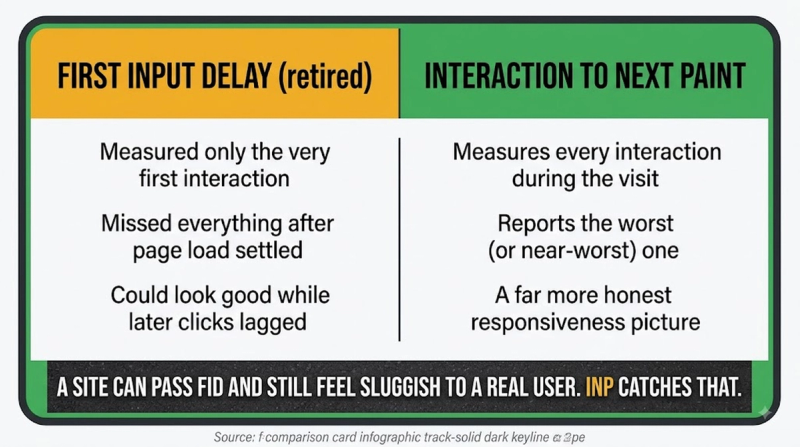
- INP reports the page's worst (or near-worst) interaction delay during a visit, not the average. A single slow, janky interaction can drag an otherwise responsive page's INP score into "needs improvement" or "poor" territory.
Why Did INP Actually Replace First Input Delay as the Official Metric?
FID only measured the delay before a browser began processing a user's very first interaction on a page. That meant a page could score perfectly on FID while still feeling sluggish on every subsequent click, tap, or keystroke. A scrolling menu that stutters on the fifth interaction, or a form that lags noticeably after the initial page load, simply wouldn't register in FID's narrow measurement window. INP addresses this directly by tracking responsiveness across the entire visit, capturing the delay for every meaningful interaction rather than just the first, and reporting a score based on the worst (or near-worst) interaction observed. Google ran INP alongside FID as an experimental metric for over a year before making the switch official in March 2024, giving developers time to adjust before FID was fully retired as an official Core Web Vital.
How Is INP Actually Calculated From a Technical Standpoint?
INP measures the full latency of an interaction in three stages: input delay (time before the browser starts processing the interaction), processing time (how long the actual event handlers take to run), and presentation delay (time until the browser visually paints the next frame reflecting the update). These three stages sum into one total interaction latency figure. Across an entire page visit, a browser tracks the latency of every qualifying interaction. INP reports a single score representing roughly the worst experience a user encountered, rather than an average across all interactions. This design choice matters: averaging would let a few genuinely bad, janky interactions get diluted by many fast ones. INP's near-worst-case approach ensures a page with even occasional serious responsiveness problems doesn't get to hide behind an otherwise good average.
The three stages that sum into total INP latency:
- Input delay — time before the browser begins processing the interaction at all.
- Processing time — how long the interaction's actual event handlers take to execute.
- Presentation delay — time until the browser visually paints the resulting update.
Why Can INP Only Be Measured Through Real User Data, Not a Lab Test?
INP fundamentally requires an actual user interacting with a live page: clicking, tapping, typing. That means it can't be simulated the way Largest Contentful Paint or Cumulative Layout Shift can be approximated through automated lab testing tools like Lighthouse, which don't perform real user interactions during a standard automated run. This is a genuinely different measurement category from the other two Core Web Vitals. It's exactly why INP diagnostics require checking real-world field data, through Google Search Console's Core Web Vitals report or the Chrome User Experience Report, rather than relying solely on a Lighthouse score the way a developer might for LCP. Some tools offer manual interaction simulation during testing to approximate likely INP behavior, but this remains an estimate, not the actual field-measured score Google uses for its ranking signal.
What Actually Causes Poor INP Scores Most Often?
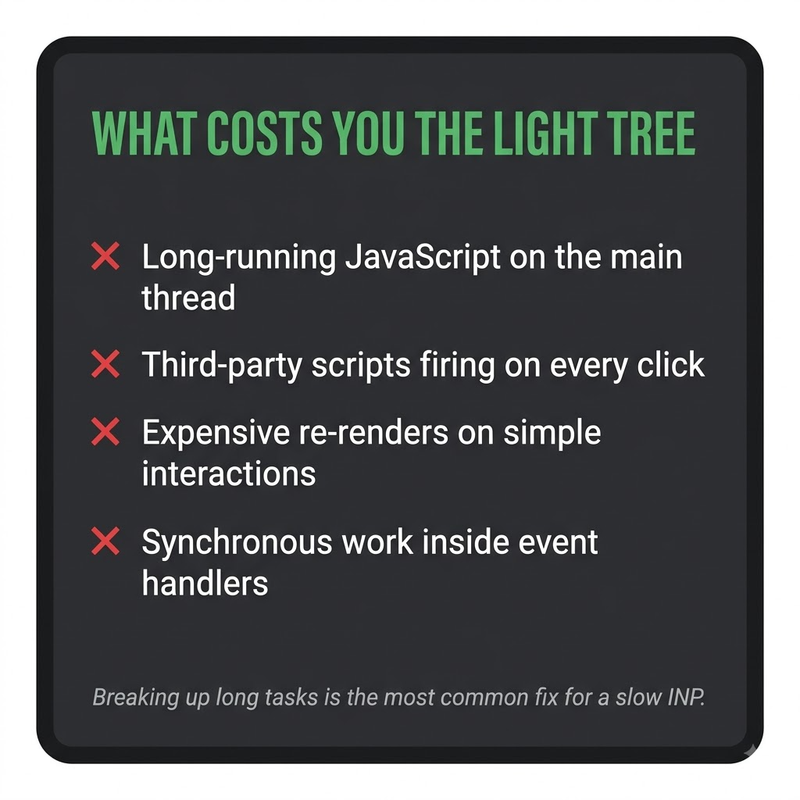
Heavy JavaScript execution competing for the browser's main thread is the dominant cause of poor INP scores. Third-party scripts (analytics tags, chat widgets, ad network code), large or inefficient event handlers, and excessive DOM manipulation triggered by a single interaction all delay the browser's ability to process and visually respond to user actions quickly.
- Audit and reduce third-party script load, since analytics tags, chat widgets, and ad scripts are frequent, often-overlooked contributors to main-thread congestion that directly delays interaction responsiveness.
- Break up long-running JavaScript tasks into smaller chunks, since a single long task blocking the main thread prevents the browser from responding to user input until that task completes.
- Minimize unnecessary DOM manipulation triggered by a single interaction — updating only what genuinely needs to change, rather than re-rendering large portions of the page for a small interaction.
- Use browser developer tools' Performance panel to identify specifically which interactions are slow and what's blocking the main thread during those specific moments.
- Test on realistic, lower-end devices and network conditions, since INP problems are often far more pronounced on less powerful hardware than on a developer's own high-performance testing machine.
Core Web Vitals is this site's umbrella overview covering INP alongside the other two official metrics — this page goes deeper specifically on INP. Largest Contentful Paint covers the loading-speed metric that, alongside INP and Cumulative Layout Shift, makes up the complete set of three official Core Web Vitals.
Frequently Asked Questions
Does INP apply to scrolling, or only to clicks and taps?
INP specifically measures discrete interactions like clicks, taps, and key presses. Continuous actions like scrolling and hovering aren't counted as INP-qualifying interactions, since they don't represent a discrete "action then response" event.
Can a single very slow interaction ruin an otherwise good INP score for the whole page?
Yes. INP reports close to the worst interaction observed during a visit, rather than an average. Even one genuinely slow, janky interaction can push a page's overall INP score into "needs improvement" or "poor" territory.
Does INP measurement differ between mobile and desktop devices?
Yes — INP is measured and reported separately for mobile and desktop, similar to the other Core Web Vitals, since device processing power and typical interaction patterns differ meaningfully between the two.
Is there a lab-based tool that can approximate INP before a page has real user traffic?
Some tools can simulate interactions to estimate likely INP behavior during development, though these remain estimates rather than the actual field-measured score Google uses, since true INP requires genuine user interaction data.
Does reducing image file sizes help improve INP the way it helps LCP?
Not directly — image optimization primarily affects loading-speed metrics like LCP, while INP is driven by JavaScript execution and main-thread responsiveness, which are largely separate concerns from image file size.
Can a single-page application (SPA) get an accurate INP score?
Yes, though SPAs require attention to how they handle interactions that trigger significant client-side re-rendering, since heavy re-rendering in response to a single interaction is a common SPA-specific cause of poor INP.
Does browser extension activity on a user's device affect their measured INP?
Yes — browser extensions running on a visitor's device can consume processing resources and affect the interaction responsiveness measured for that specific visit, which is one source of variability in real-world INP field data.
How quickly does an INP fix show up in Google Search Console's reporting?
Since Core Web Vitals field data relies on a rolling 28-day window of real user data, an INP improvement typically takes some weeks to be fully reflected in Search Console's reported score.
Does using a popular JavaScript framework guarantee good INP scores?
No. Framework choice alone doesn't guarantee good INP. How efficiently a specific implementation handles event processing, state updates, and DOM changes in response to interactions matters far more than which framework is used.
Can poor INP scores affect conversion rates independent of any SEO ranking impact?
Yes. A page that feels sluggish or unresponsive to interact with tends to see higher abandonment and lower conversion rates, regardless of its search ranking. That makes INP improvement valuable for user experience reasons beyond the direct ranking signal.


