
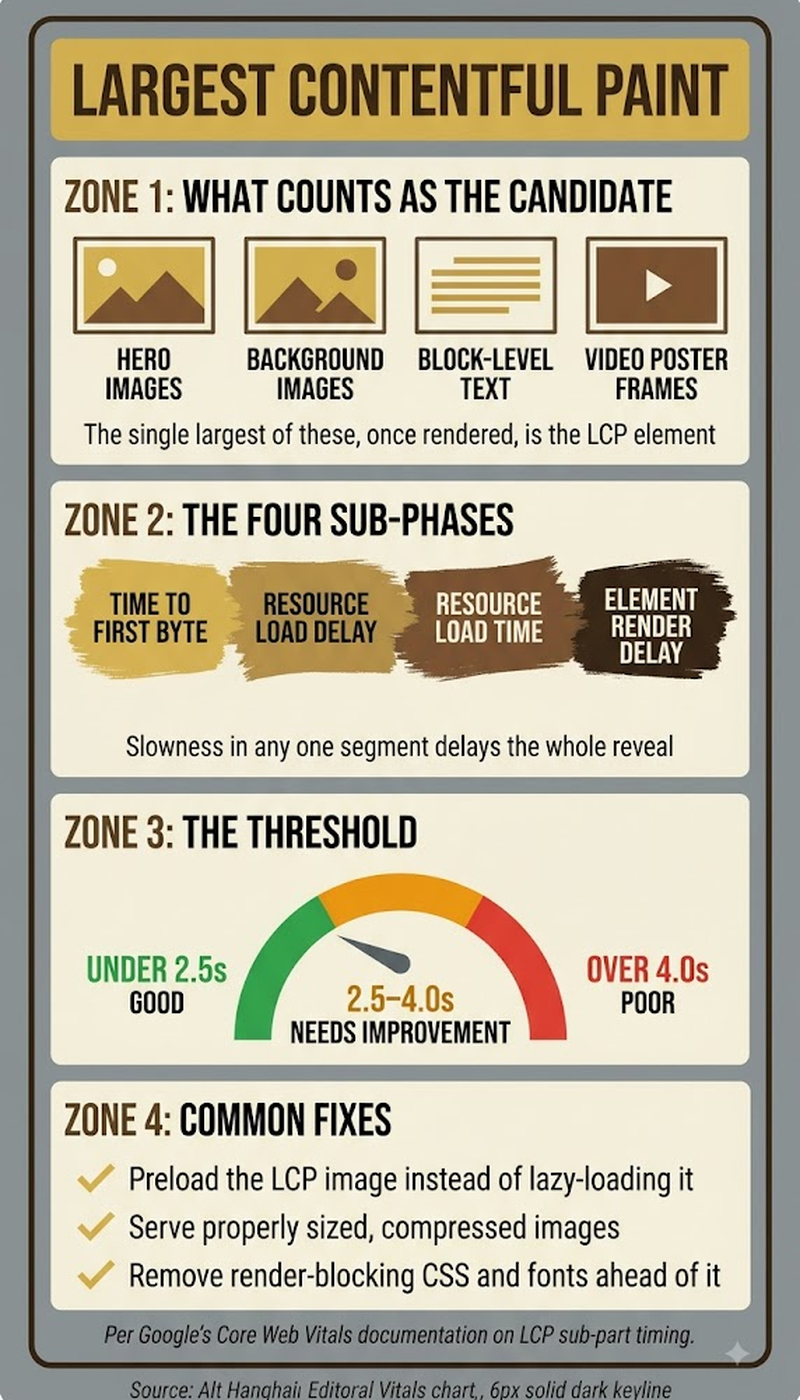
Largest Contentful Paint (LCP) is one of Google's three official Core Web Vitals. It measures how long it takes for the largest visible content element, typically a hero image, a large block of text, or a background image, to fully render on screen after a user starts loading a page. Google considers an LCP under 2.5 seconds "good," 2.5 to 4 seconds "needs improvement," and anything above 4 seconds "poor." It's specifically a loading-speed metric, distinct from Interaction to Next Paint (responsiveness) and Cumulative Layout Shift (visual stability), the other two Core Web Vitals this site covers on its dedicated Core Web Vitals overview page.
Key Takeaways
- LCP measures the time until the largest visible content element renders — not the entire page, just whichever single element (usually an image, video poster, or large text block) is biggest in the viewport.
- Google's thresholds: under 2.5 seconds is "good," 2.5-4 seconds is "needs improvement," above 4 seconds is "poor." These are measured from real user field data, primarily via the Chrome User Experience Report.
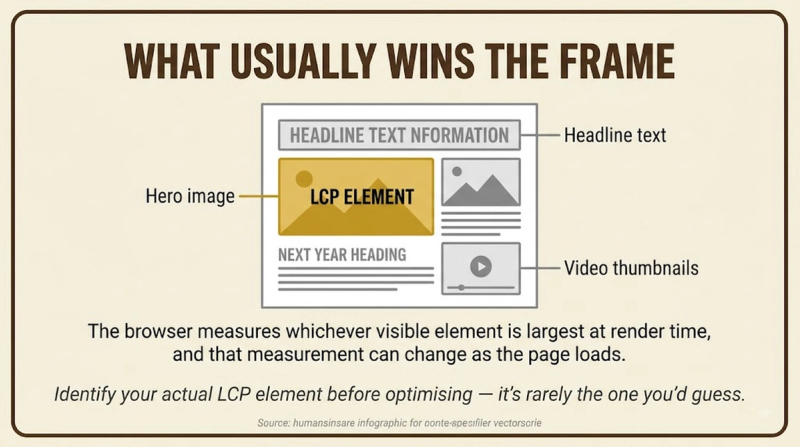
- The specific element counted as "largest" can change during page load — Google tracks candidates as the page renders and reports the final largest element once loading settles.
- Common LCP culprits include unoptimized hero images, slow server response times, render-blocking CSS/JavaScript, and web fonts that delay text rendering.
- LCP is measured for both mobile and desktop separately, and real user field data (not just lab tests) is what actually appears in Google Search Console's Core Web Vitals report.
Core Web Vitals is this site's umbrella overview covering LCP alongside the other two official metrics — this page goes deeper specifically on LCP. Cumulative Layout Shift covers the visual-stability metric that's often affected by the same image-loading issues that slow down LCP.
What Actually Counts as the "Largest" Element on a Page?
The largest element is whichever single visible content block, an image, a video poster frame, a background image loaded via CSS, or a block-level text element, occupies the most area within the browser's visible viewport at the moment LCP is measured. Google explicitly excludes certain element types from consideration entirely. Elements like <svg>, <video> without a poster image, and elements with opacity set to zero don't count toward LCP candidacy, since they don't represent meaningful visible content in the way LCP is designed to measure. During page load, the "largest" candidate can actually change. An initial hero image might render first, then get replaced as the largest element once a bigger text block or secondary image finishes loading. Google's measurement accounts for this by tracking the final largest element once rendering stabilizes, not just whatever loaded first.
Why Does LCP Timing Vary So Much Between Mobile and Desktop?
LCP is measured and reported separately for mobile and desktop, because network conditions, device processing power, and viewport size all differ meaningfully between the two. A page that loads comfortably within Google's "good" threshold on desktop broadband can easily fall into "needs improvement" or "poor" territory on a mobile connection. Mobile devices frequently have less processing power for rendering complex layouts, and mobile network conditions are inherently more variable than typical desktop broadband. Both factors directly slow down when the largest content element actually finishes rendering. This is exactly why Google's guidance treats mobile LCP performance as the more scrutinized of the two in most practical auditing contexts, since a large share of real-world traffic experiences the mobile conditions, not the more forgiving desktop ones.
Common causes:
- Unoptimized hero images — large file sizes delay the largest element from rendering.
- Slow server response (TTFB) — delays everything downstream, including the largest element.
- Render-blocking CSS/JS — the browser must process these before rendering visible content.
- Web font loading delays — text-based largest elements wait on font files before displaying.
- Client-side rendering — content requiring JavaScript execution renders later than static HTML.
How Do You Actually Diagnose What's Slowing Down LCP on a Specific Page?
Diagnosing LCP issues means identifying which specific element is being measured as "largest," then working backward to find what's delaying that specific element's render:
- Use Chrome DevTools' Performance panel or PageSpeed Insights to identify exactly which element Google's measurement is treating as the LCP candidate on a given page.
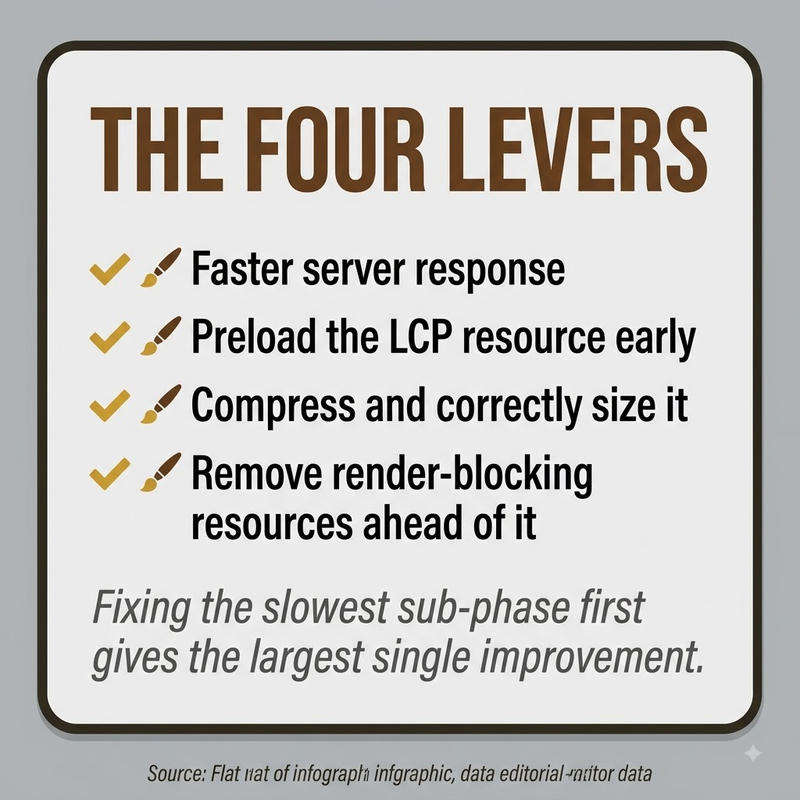
- Check whether that element is an image. If so, verify its file size, format (modern formats like WebP or AVIF typically outperform older JPEG/PNG at equivalent quality), and whether it's being lazy-loaded incorrectly, which can actually delay above-the-fold images.
- Review server response time (Time to First Byte) separately, since a slow server delays every subsequent rendering step regardless of how optimized the front-end assets are.
- Identify any render-blocking CSS or JavaScript loading before the LCP element, since the browser has to process these before it can paint visible content.
- If the LCP element depends on client-side JavaScript rendering, evaluate whether server-side rendering or static generation would deliver that content faster than waiting on JavaScript execution.
Does Improving LCP Actually Affect Search Rankings?
LCP is one component of Google's confirmed Core Web Vitals ranking signal. But, consistent with the broader Core Web Vitals guidance this site covers separately, it functions more as a differentiating factor between pages of otherwise similar content quality than as a dominant ranking lever on its own. A page with excellent LCP and thin, low-value content still won't outrank a slower page that substantively better answers a search query. Where LCP improvement pays off most reliably isn't necessarily rankings directly. It's user experience and engagement: a slow-loading largest element measurably increases the odds a visitor abandons the page before it finishes loading, which affects business outcomes independent of any direct SEO benefit.
Frequently Asked Questions
Can a video count as the largest contentful paint element?
A video's poster image (the static image shown before playback starts) can count as the LCP element, but the video content itself, without a poster image, doesn't count toward LCP measurement.
Does lazy-loading images always help or hurt LCP?
Lazy-loading below-the-fold images generally helps overall page performance. But incorrectly lazy-loading an above-the-fold image that turns out to be the LCP element actually delays it, since the browser waits to start loading it until later than necessary.
Is there a way to test LCP without waiting for real user field data to accumulate?
Yes. Lighthouse (built into Chrome DevTools) and PageSpeed Insights both provide lab-based LCP estimates that don't require real user traffic. These are simulated tests though, rather than the actual field data Google uses in Search Console's Core Web Vitals report.
Does using a Content Delivery Network (CDN) directly improve LCP?
A CDN can meaningfully improve LCP by reducing server response time and image delivery latency, particularly for visitors geographically distant from the origin server.
Can text count as the largest contentful paint element, or is it always an image?
Yes. A large block of text, not individual words or short headings but a substantial text block, can be measured as the LCP element if it occupies more viewport area than any image or video on the page.
Does LCP measurement happen once per page load, or continuously?
LCP is determined once per page load. Google's measurement tracks candidate elements as the page renders, and finalizes the LCP value once the largest element has fully rendered and no larger element appears afterward.
How does preloading a hero image affect LCP?
Adding a preload hint for a known LCP image (via <link rel="preload">) can meaningfully improve LCP by telling the browser to prioritize fetching that specific resource earlier in the loading sequence.
Can third-party scripts (analytics, chat widgets, ads) hurt LCP even if they don't directly touch the largest element?
Yes — third-party scripts competing for bandwidth and main-thread processing time can delay the browser's ability to render the actual LCP element, even without directly modifying it.
Does a single-page application (SPA) measure LCP differently than a traditional multi-page site?
SPAs require additional measurement handling for "soft navigations" (in-app route changes without a full page reload), an area Google has continued refining since standard LCP measurement was originally built around traditional full page loads.
Is there a maximum file size an image can be before it definitely hurts LCP?
There's no single universal file size threshold. The practical impact depends on the visitor's connection speed and the image's position in the loading sequence. Modern image optimization guidance generally targets keeping hero images well under a few hundred kilobytes where possible.


