
What Is Crawl Budget?
Crawl budget is the number of pages Googlebot is willing and able to crawl on a given site within a given timeframe. It's an officially documented Google concept, distinct from the industry-coined "render budget" analogy this site covers separately. It's determined by two combined factors: crawl capacity limit (how much crawling a site's server can handle without being overwhelmed) and crawl demand (how much Google actually wants to crawl the site, based on its perceived value and freshness). For most small to mid-sized sites, crawl budget isn't a meaningful constraint at all. Google has stated directly that crawl budget is primarily a concern for large sites, specifically those with many thousands of pages or more.
Key Takeaways
- Crawl budget is an officially documented Google concept, not an industry analogy the way "render budget" is. It combines crawl capacity limit (server capacity) and crawl demand (Google's interest in crawling the site).
- Google has stated directly that crawl budget is primarily a concern for large sites with many thousands of URLs; smaller sites generally don't need to actively manage it.
- Low-value, duplicate, or unnecessary URLs (faceted navigation parameters, infinite calendar pages, duplicate content variants) are common crawl budget drains on large sites that would otherwise waste crawling capacity better spent on genuinely important pages.
- Server response time directly affects crawl capacity — a slow-responding server causes Google to reduce its crawl rate to avoid overwhelming it, which can further constrain how many pages actually get crawled.
- Crawl budget and render budget are related but distinct concepts operating at different stages. Crawl budget governs how many pages get crawled at all, while render budget (an industry term) concerns the separate resources allocated specifically to executing JavaScript on pages that have already been crawled.
What Actually Determines a Site's Crawl Budget?
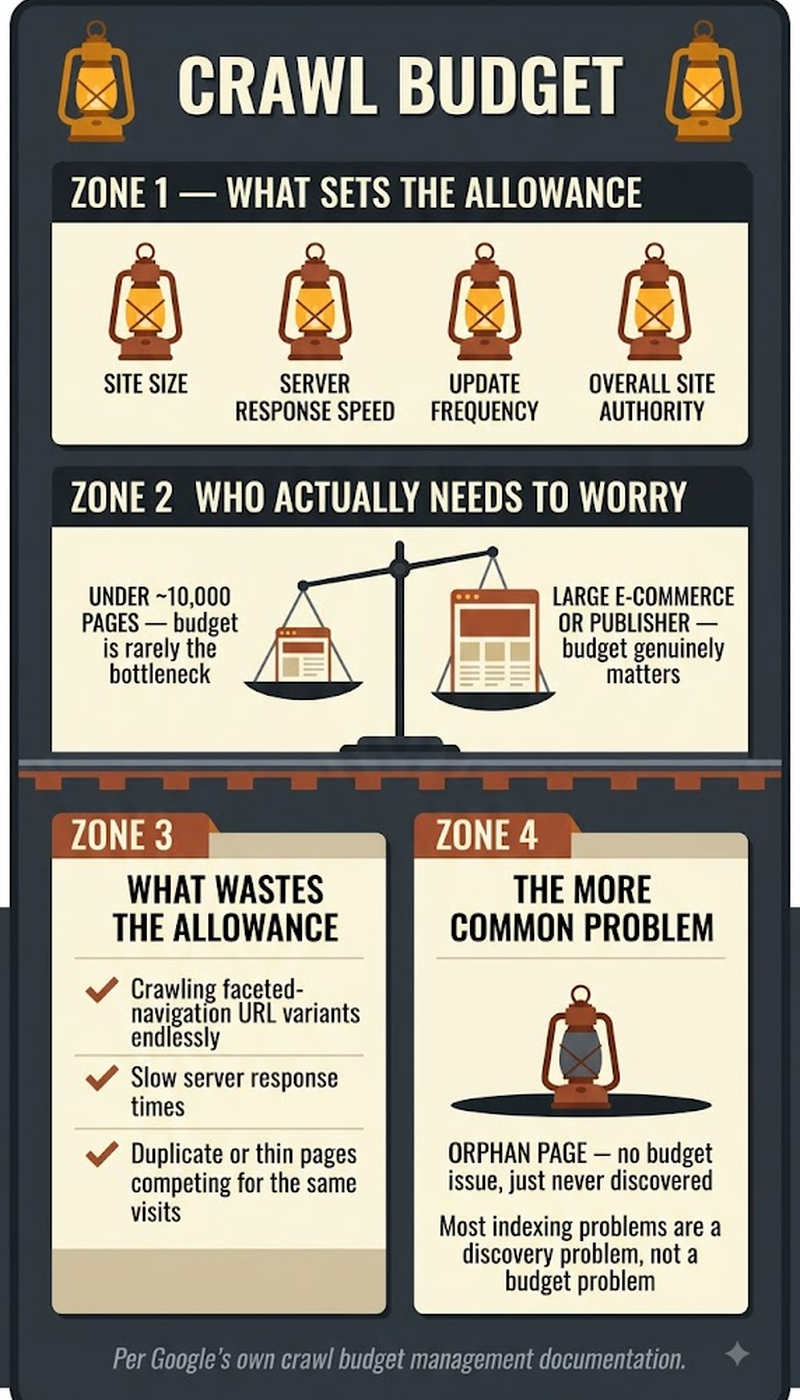
Crawl budget is the combination of two distinct factors: crawl capacity limit, which reflects how much crawling activity a site's server infrastructure can handle without performance degradation, and crawl demand, which reflects how much Google actually wants to crawl a given site based on factors like the perceived value, popularity, and freshness of its content. A site with a robust, fast server can technically handle a higher crawl rate. But if Google doesn't perceive much value in crawling it frequently, low-traffic, rarely-updated content, actual crawl demand stays low regardless of available capacity. A site with genuinely high crawl demand, meaning frequently updated, popular, valuable content, can still be constrained by a limited crawl capacity if its server struggles to handle a higher crawl rate without slowing down or returning errors.
Does Crawl Budget Actually Matter for Every Website?
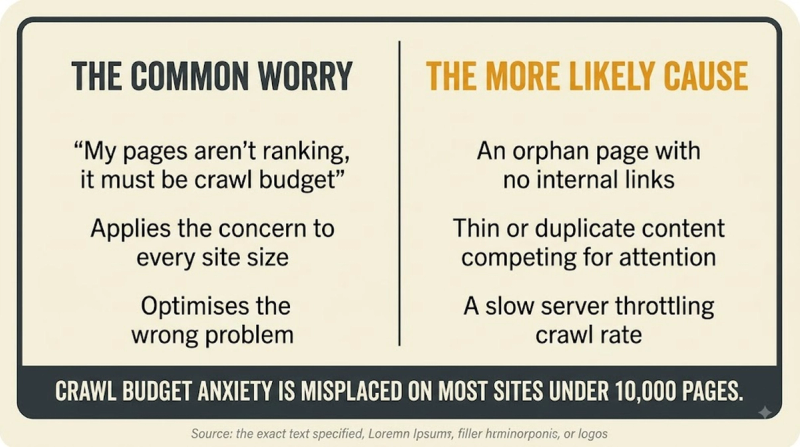
No. Google has stated directly that crawl budget is primarily a concern for large sites, generally those with many thousands of URLs or more. Most small to mid-sized sites simply don't generate enough pages or crawl demand for budget constraints to meaningfully affect their indexing. This is worth stating clearly, because crawl budget optimization gets discussed disproportionately often relative to how many sites actually need to worry about it. A site with a few hundred or even a few thousand well-organized pages is unlikely to hit any real crawl budget ceiling, and time spent on crawl budget optimization for such a site would likely be better spent elsewhere. Large e-commerce sites with extensive faceted navigation, large publishers with enormous content archives, and sites with auto-generated pages at scale are the categories where crawl budget genuinely becomes a practical, actionable concern.
The two factors that determine crawl budget:
- Crawl capacity limit — reflects the server's ability to handle crawl traffic; increased by fast server response times and reliable infrastructure.
- Crawl demand — reflects Google's interest in crawling the site; increased by fresh, valuable, frequently-updated, popular content.
What Actually Wastes Crawl Budget on Large Sites?
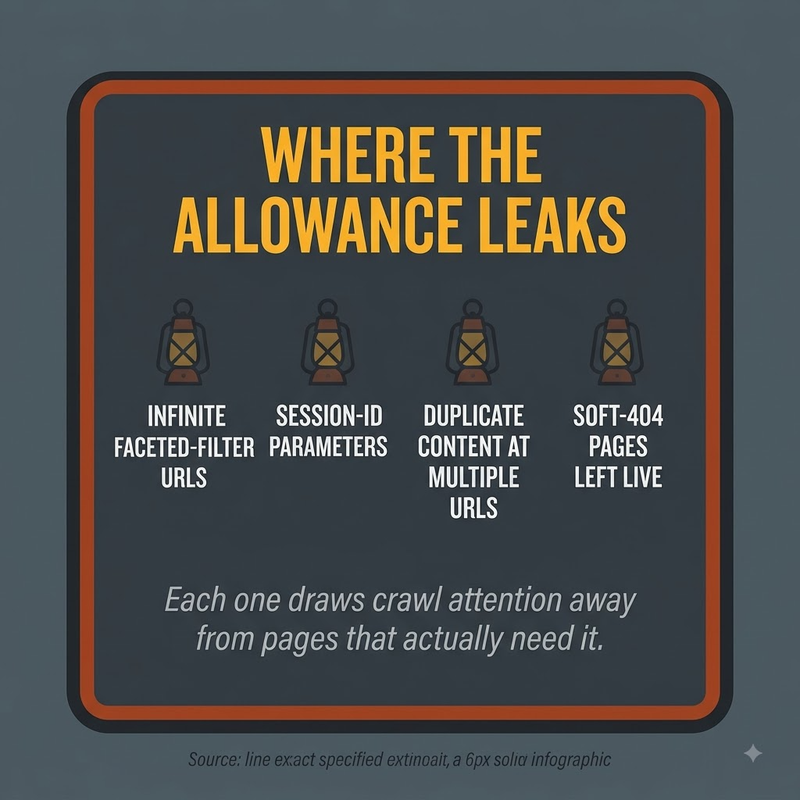
Low-value, duplicate, or unnecessary URLs are the most common crawl budget drains on large sites. Faceted navigation generating enormous numbers of URL parameter combinations, infinite or auto-generated calendar pages, duplicate content variants without proper canonicalization, and soft 404 pages that technically return a 200 status but contain no real content all consume crawl resources that could otherwise go toward genuinely important, unique pages. This is exactly why large-site crawl budget optimization often focuses heavily on identifying and addressing these categories specifically: blocking low-value faceted navigation combinations via robots.txt, consolidating duplicate content through canonical tags, and fixing soft 404s to return proper status codes. That's a more targeted approach than trying to increase overall crawl capacity directly, which is comparatively blunt.
How Do You Actually Optimize Crawl Budget for a Large Site?
Crawl budget optimization for genuinely large sites generally follows a consistent set of practical steps:
- Identify and address low-value URL patterns consuming disproportionate crawl resources — faceted navigation parameters, duplicate content variants, and auto-generated low-value pages are the most common culprits.
- Improve server response times, since a slow-responding server directly causes Google to throttle its crawl rate to avoid overwhelming it, effectively shrinking available crawl capacity regardless of demand.
- Use robots.txt strategically to block crawling of genuinely low-value URL patterns that don't need to be indexed at all, freeing up crawl capacity for pages that do.
- Fix soft 404s and other technically-200-but-actually-empty pages, since these waste crawl resources on content that provides no indexing value.
- Maintain a clean, accurate XML sitemap reflecting genuinely important URLs, helping Google prioritize crawling toward pages that matter most rather than discovering them inefficiently through link-following alone.
- Monitor Google Search Console's Crawl Stats report regularly to track crawl request volume, response times, and file type breakdowns, watching for patterns suggesting wasted crawl activity.
Crawl budget operates at an earlier stage in the discovery pipeline than render budget, which this site covers as a distinct, industry-coined concept specifically about JavaScript rendering resources for pages that have already been crawled. Both connect to the broader technical SEO discipline of ensuring search engines can efficiently access and process a site's content.
Frequently Asked Questions
Can a site request additional crawl budget directly from Google?
No — there's no mechanism to directly request more crawl budget. The practical approach is improving crawl capacity (server performance) and crawl demand (content value and freshness) indirectly, since Google adjusts crawling based on these factors rather than accepting direct requests.
Does submitting a URL for indexing via Search Console bypass crawl budget constraints?
Manual URL submission can prompt a more immediate crawl attempt for that specific page, but it doesn't fundamentally change a site's overall crawl budget or exempt the site from broader crawl capacity and demand considerations.
How can a site actually check its current crawl budget usage?
Google Search Console's Crawl Stats report provides visibility into crawl request volume, response times, and file type breakdowns over recent time periods, offering the most direct available insight into how Google is currently crawling a site.
Does having a large number of backlinks increase a site's crawl budget?
Backlinks can indirectly increase crawl demand by signaling a site's popularity and value, but they don't directly or automatically increase crawl budget the way improving server performance or content freshness would.
Can duplicate content across multiple domains (not just within one site) affect crawl budget?
Crawl budget is generally evaluated per site/domain rather than across multiple separate domains, so duplicate content spread across genuinely separate domains doesn't directly consolidate into one shared crawl budget concern.
Does a CDN help with crawl budget the way it helps with page speed?
Yes — a CDN can improve server response times for Googlebot's crawl requests, which supports crawl capacity, though it doesn't directly affect crawl demand, which depends more on content value and freshness signals.
Is crawl budget a ranking factor itself, or purely an indexing consideration?
Crawl budget itself isn't a direct ranking factor — its practical impact is on whether and how quickly content gets crawled and indexed at all, which is a prerequisite for ranking rather than a ranking signal itself.
Does adding a new large section to a site temporarily strain crawl budget?
Yes, potentially — a large content addition can temporarily increase demand on crawl resources as Google works to discover and crawl the new pages, though this typically stabilizes once the initial discovery phase completes.
Can crawl budget issues cause already-indexed pages to be removed from the index?
Crawl budget constraints primarily affect discovery and initial indexing of new or updated content, rather than causing removal of already-indexed pages. Severely neglected crawling over a long period could eventually affect how current Google's understanding of existing pages remains.
Does international/multi-language content (with hreflang) consume crawl budget differently than single-language content?
Each distinct URL, including separate language/region versions connected via hreflang, still needs to be individually crawled, meaning a large multi-language site effectively multiplies its total URL count and corresponding crawl budget considerations accordingly.


