
Technical SEO is the practice of optimizing a website's infrastructure — crawlability, indexability, site speed, security, and structural signals — so search engines can efficiently access, understand, and properly evaluate its content. It's the foundation everything else in SEO sits on. Brilliant content on a page search engines can't crawl, render, or index properly never gets the chance to rank at all, no matter how well-written or genuinely useful it is. Technical SEO doesn't touch the content itself — that's on-page SEO's job — it's specifically about removing the technical barriers between good content and search engines actually being able to evaluate it.
Key Takeaways
- Technical SEO covers the infrastructure layer of search visibility — crawlability, indexability, site speed, and structural signals — distinct from on-page SEO's focus on content and off-page SEO's focus on external authority.
- A page can have excellent content and still fail to rank if technical SEO problems (blocked crawling, broken indexing signals, painfully slow load times) prevent search engines from properly accessing or evaluating it.
- Core Web Vitals, crawl budget management, proper redirect handling, and structured data implementation are all specific technical SEO disciplines this site covers individually in more depth.
- Technical SEO issues are often invisible to a casual site visitor — a crawl block, a broken canonical tag, or a hreflang error doesn't necessarily show up as anything visibly wrong to someone browsing the site normally.
- Technical SEO audits should happen periodically, not just once — sites change, platforms update, and new technical issues (a broken redirect, an accidentally added noindex tag) can be introduced at any point after the initial setup.
How Does Technical SEO Actually Differ From On-Page and Off-Page SEO?
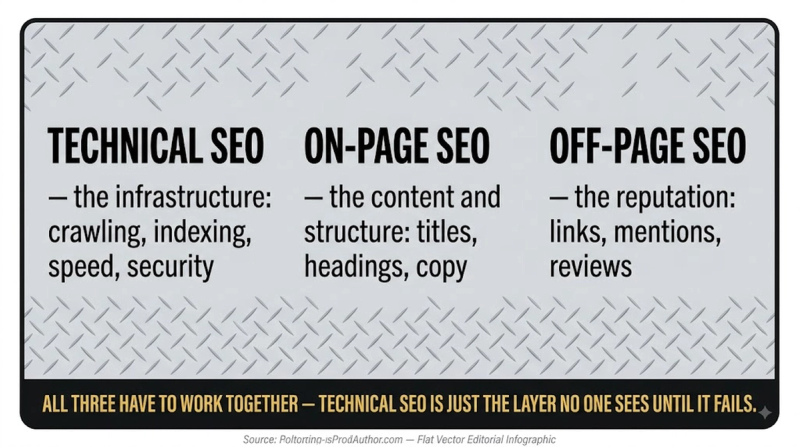
Technical SEO addresses whether search engines can access, render, and understand a site's infrastructure at all. On-page SEO addresses the quality and relevance of the actual content and metadata on each page. Off-page SEO addresses external signals like backlinks that build a site's broader authority and trust. The three work together, but they're solving genuinely different problems and require different skill sets. A site can excel at on-page content while quietly failing at technical SEO. A beautifully written article sitting behind a robots.txt block, or hidden by a stray noindex tag, gets none of the benefit its content quality would otherwise earn. This is exactly why technical SEO issues tend to be prioritized first in a comprehensive SEO strategy: fixing content or building links against a technically broken foundation wastes effort that a technical fix would have unlocked far more efficiently.
The three SEO types:
- Technical SEO — addresses crawlability, indexing, site infrastructure. Example fixes: fixing broken redirects, improving Core Web Vitals, XML sitemaps.
- On-Page SEO — addresses content quality and page-level optimization. Example fixes: keyword targeting, header structure, meta descriptions.
- Off-Page SEO — addresses external authority and trust signals. Example fixes: backlink building, digital PR, brand mentions.
What Are the Actual Core Components of Technical SEO?
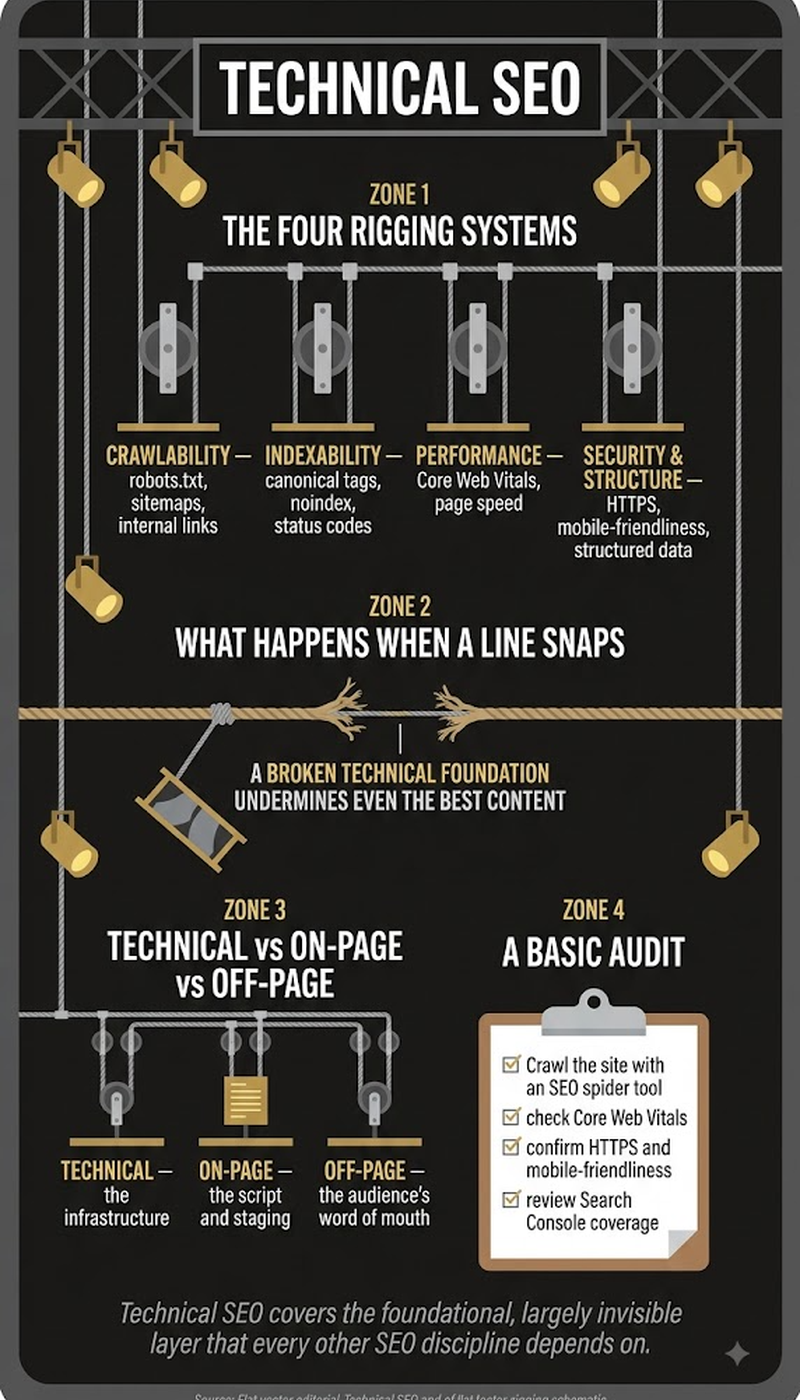
Technical SEO spans several distinct sub-disciplines, each addressing a different piece of how search engines interact with a site's infrastructure: crawlability (can search engines discover and access pages at all), indexability (are accessible pages actually being added to the search index), site speed and page experience (Core Web Vitals and related performance metrics), site architecture (URL structure, internal linking, sitemaps), and structured data (schema markup that helps search engines understand content context). Each of these has enough depth to be its own specialized skill. A technical SEO audit typically works through each category systematically, rather than treating "technical SEO" as one undifferentiated checklist item. A site can be strong in one area (fast load times) while quietly failing in another (a crawl-blocking robots.txt misconfiguration).
Why Are Technical SEO Problems Often Invisible to a Normal Site Visitor?
Most technical SEO issues live in signals and behaviors a regular visitor never directly interacts with: a robots.txt directive, a canonical tag, an HTTP status code, a hreflang pairing. A site can look completely normal and functional to a human browsing it, while still having serious problems preventing search engines from properly crawling or indexing it. A page accidentally marked noindex, for instance, displays and functions identically to any other page for a visitor, but simply doesn't appear in search results at all. Nothing about the visible page itself hints at the problem. This invisibility is exactly why technical SEO requires deliberate, periodic auditing, using dedicated tools like crawlers, Search Console, and page speed testers, rather than relying on casual browsing or visual inspection to catch problems.
How Do You Actually Conduct a Technical SEO Audit?
A structured technical SEO audit moves systematically through the core components rather than checking items at random:
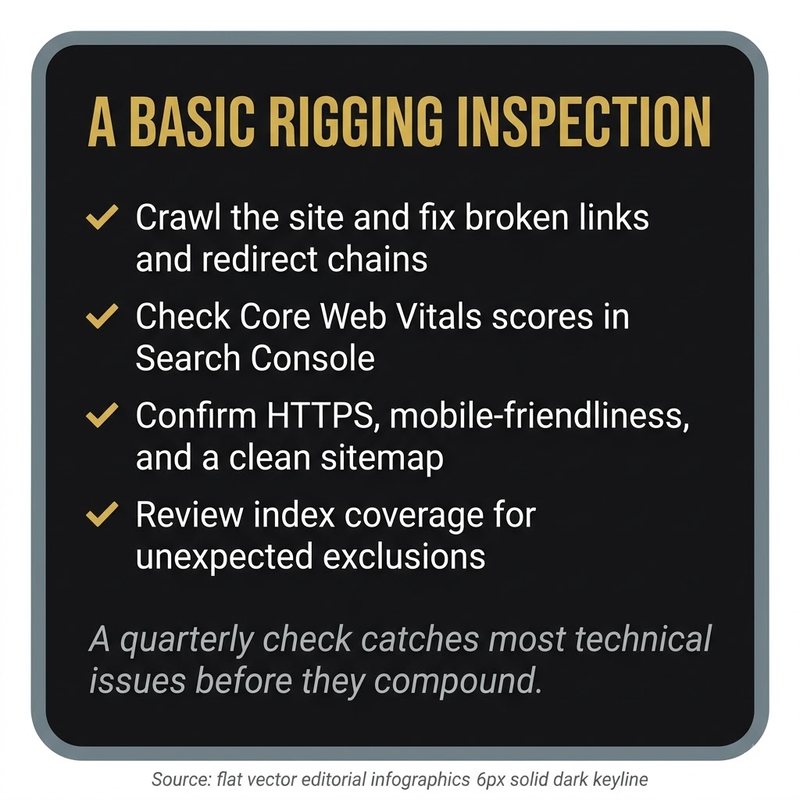
- Confirm basic crawlability first — check robots.txt for unintended blocks, verify an XML sitemap exists and is submitted to Search Console, and confirm important pages aren't accidentally marked noindex.
- Review Core Web Vitals performance (Largest Contentful Paint, Interaction to Next Paint, Cumulative Layout Shift) across both mobile and desktop, since these are a confirmed ranking signal and directly affect user experience.
- Check for redirect chains, broken links, and incorrect redirect types (a 302 used where a permanent 301 was actually needed) across the site.
- Verify structured data implementation is valid and error-free using Google's Rich Results Test or Search Console's structured data reports.
- For sites with international audiences, confirm hreflang tags are correctly implemented and reciprocal across all language/region versions.
- Review site architecture and internal linking to confirm important pages sit within a reasonable click depth from the homepage and receive adequate internal link equity.
Does Technical SEO Matter Differently for AI Search Than Traditional Search?
Technical SEO fundamentals remain just as important for AI-generated search visibility as for traditional rankings, since AI systems still need to crawl, render, and index content through largely the same underlying infrastructure. A page blocked from traditional crawling is equally invisible to AI search systems drawing from the same index. What's added, rather than replaced, is an extra layer of consideration. Many AI crawlers (GPTBot, ClaudeBot, PerplexityBot, and others) have historically had more limited JavaScript rendering capability than Google's systems, making render budget and client-side rendering concerns even more consequential for AI-search visibility specifically than for traditional search alone.
Crawl budget and Core Web Vitals each cover specific technical SEO components in depth, and 302 redirect addresses one common technical implementation detail that frequently gets mishandled. JavaScript SEO covers the specific technical challenges JavaScript-heavy sites face within this broader discipline.
Frequently Asked Questions
Does technical SEO require coding knowledge to work on effectively?
Some technical SEO tasks require at least basic familiarity with HTML, and more advanced work (JavaScript rendering issues, server configuration) benefits from deeper technical skills. Many technical SEO tasks though can be handled through CMS settings and dedicated tools, without direct coding.
How often should a full technical SEO audit be conducted?
There's no universal fixed schedule, though a comprehensive audit at least annually, combined with ongoing monitoring for specific issues (broken links, crawl errors) between audits, is a common practical approach.
Can a technical SEO issue cause an entire site to disappear from search results?
Yes, in severe cases. A sitewide noindex tag, a robots.txt blocking all crawling, or a major server outage during a critical crawl period can all cause significant or complete loss of search visibility.
Does site speed matter more than other technical SEO factors?
Site speed (via Core Web Vitals) is one confirmed ranking signal among several technical factors. But crawlability and indexability issues are generally considered higher priority, since a fast page that can't be indexed at all provides no ranking benefit regardless of speed.
Is HTTPS (SSL) still a meaningful technical SEO factor in 2026?
Yes. HTTPS has been a confirmed ranking signal for years and remains standard best practice. A site still running on unencrypted HTTP faces both a technical SEO disadvantage and a direct user trust issue.
Does technical SEO differ significantly between WordPress sites and custom-built sites?
The underlying principles are identical, though the specific implementation differs — WordPress often relies on SEO plugins to manage technical elements that a custom-built site might handle directly in code.
Can fixing technical SEO issues alone improve rankings without any content changes?
Yes, in cases where content was already strong but technical barriers were preventing it from being properly crawled or indexed. Fixing the technical issue can unlock ranking potential that was already there but blocked.
Does mobile-friendliness fall under technical SEO or on-page SEO?
It's generally considered a technical SEO concern, since it involves site infrastructure and rendering behavior (responsive design, mobile page speed) rather than content quality specifically.
How do XML sitemaps actually help with technical SEO?
An XML sitemap provides search engines with a direct, organized list of a site's important URLs. That helps ensure efficient discovery and crawling, particularly for large sites or pages that might otherwise be harder to discover through normal link-following alone.
Can technical SEO problems affect how a site performs in AI-generated search answers specifically?
Yes — since AI search systems draw from the same underlying crawled and indexed content, technical barriers preventing proper crawling or rendering block AI visibility just as they block traditional search visibility.
Is there a way to monitor for new technical SEO issues automatically rather than only during periodic manual audits?
Yes. Many technical SEO tools and Google Search Console itself provide ongoing monitoring and alerts for issues like crawl errors, indexing problems, and Core Web Vitals degradation. That reduces reliance on periodic manual checks alone.


