
TL;DR. Log file analysis reads a server's raw access logs to show exactly which URLs crawlers requested, when, and how often, request by request, rather than a simulated crawl or Search Console's summarized statistics. A 2026 thirty-day site log study found retrieval-bot fetches, from AI answer engines like Perplexity and ChatGPT, average roughly 690 hits per site per day, activity invisible to most crawl-budget analyses that only track classic search bots.
What is log file analysis?
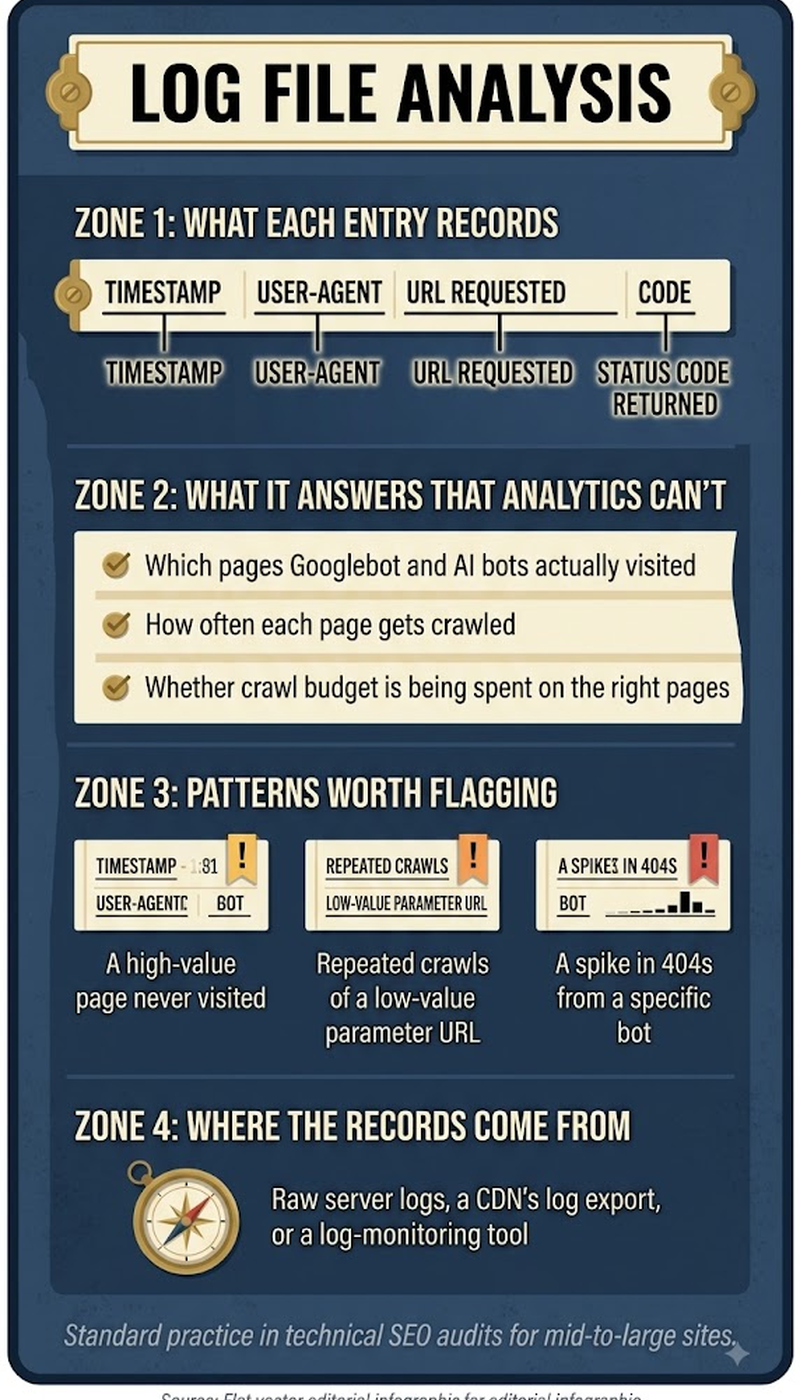
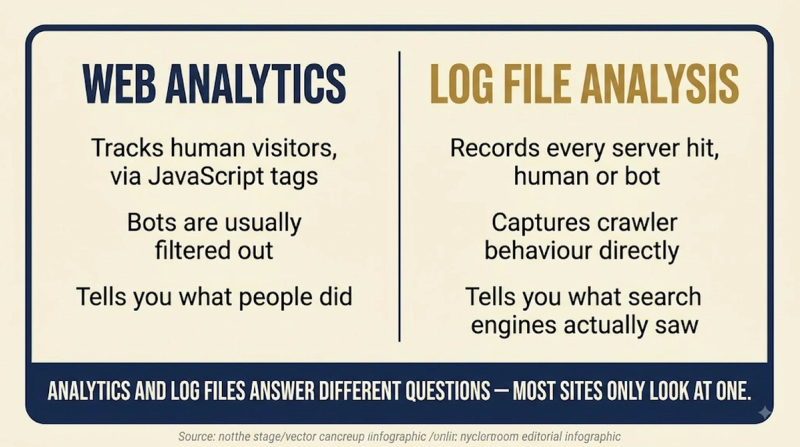
Log file analysis is the practice of parsing a web server's raw access logs, the record every server keeps of each incoming request, to see precisely what a crawler did on a site: which URLs it hit, what status code each returned, and how that activity changed over time. Unlike a third-party crawl tool that simulates how a crawler might behave, server logs record what actually happened, which makes them the closest thing SEO has to ground truth on crawler behavior.
Key highlights
- The bot population hitting a typical site's logs has fractured well beyond Googlebot and Bingbot: AI training crawlers like GPTBot and ClaudeBot, plus retrieval bots like OAI-SearchBot, Claude-SearchBot, and PerplexityBot, now share the same access logs and behave very differently from classic search crawlers.
- A 2026 thirty-day log study found retrieval-bot fetches averaging around 690 hits per site per day, a volume that goes entirely unmeasured by tools focused solely on traditional Googlebot crawl stats.
- Log files include specific URLs and exact timestamps for every request, a level of detail Search Console's Crawl Stats report deliberately summarizes away in favor of aggregate trends.
What log analysis reveals that other tools miss
- Whether a crawler is actually reaching priority pages, or spending most of its attention on low-value URLs like filtered or paginated duplicates instead.
- How quickly a crawler returns to recently updated pages, direct evidence of real-world crawl budget allocation rather than a theoretical estimate.
- Exactly which pages return errors or redirects to a crawler specifically, which can differ from what a human visitor experiences if bot traffic hits different infrastructure paths.
- Whether newer AI crawlers and retrieval bots can even reach a site's key content, a question increasingly relevant now that those bots make up a meaningful share of total crawl traffic.
A basic log analysis workflow
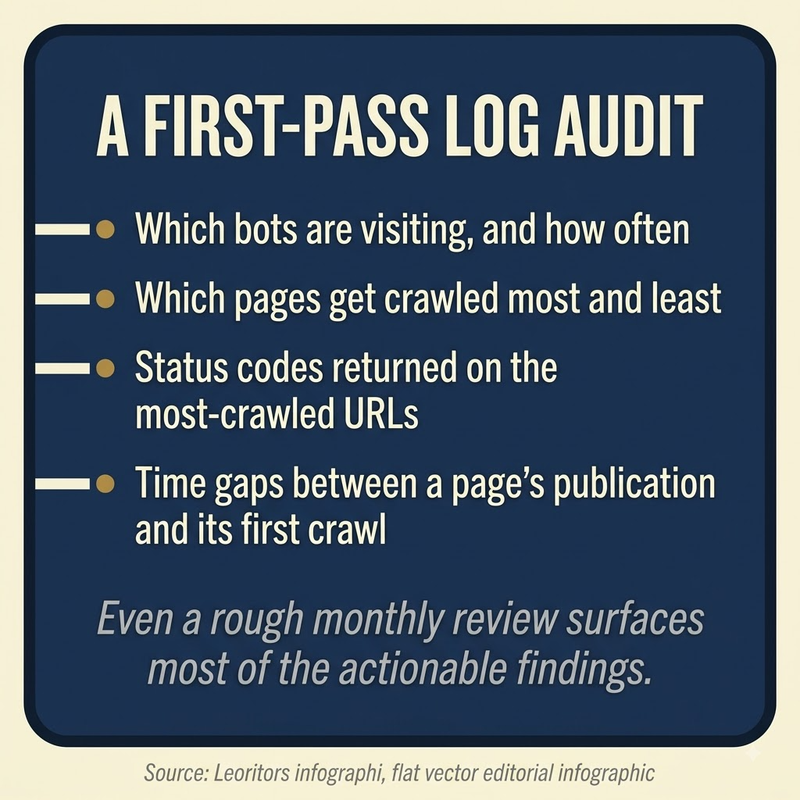
- Pull raw access logs from the server or CDN, filtering to known crawler user agents rather than all traffic.
- Verify user agents against IP ranges to rule out spoofed bots claiming to be Googlebot without actually being Google's infrastructure.
- Segment requests by URL pattern to see which sections of the site absorb the most crawl attention.
- Cross-reference status codes returned to crawlers against the same URLs' actual current status, to catch stale redirects or errors a crawler keeps hitting.
Frequently asked questions
How is log file analysis different from Search Console's Crawl Stats?
Crawl Stats summarizes Googlebot activity into aggregate trends; log file analysis works from the raw per-request data itself, including bots beyond just Googlebot and detail Search Console never exposes.
How often should log files actually be reviewed?
Monthly monitoring alongside Crawl Stats is standard guidance for most sites, with more frequent review warranted around major migrations, launches, or unexplained traffic changes.
Does log file analysis require special software?
Not necessarily; a script written in Python can parse raw log files directly, though dedicated log analysis tools handle large sites' volume more efficiently than a manual approach.


