
Content pruning is the deliberate practice of removing, consolidating, or substantially improving underperforming pages on a site — thin content, outdated articles, duplicate or near-duplicate pages — to protect the overall quality signal search engines associate with the domain. It's not simply deleting old content indiscriminately. It's a targeted process: identifying which specific pages are actively dragging down a site's perceived quality, then deciding, page by page, whether the right fix is removal, consolidation into a stronger existing page, or a genuine content upgrade.
Key Takeaways
- Content pruning targets pages that are actively hurting overall site quality signals — thin content, outdated information, duplicate coverage — not simply old content in general.
- Three main pruning actions exist: full removal (with a proper redirect or 410 status), consolidation (merging overlapping content into one stronger page), and improvement (substantially rewriting rather than deleting).
- Pruning is distinct from a content audit — an audit is the diagnostic process that identifies which pages need action; pruning is one possible action taken based on that audit's findings.
- Removing content without careful analysis risks losing pages that still drive meaningful traffic or backlinks, even if their current performance looks weak by a single surface-level metric.
- Google has never confirmed a specific "content quality score" tied to page count, but multiple documented cases show meaningful traffic recovery after removing genuinely thin or outdated pages at scale.
Content pruning connects directly to technical SEO site-health practices generally, and pages consolidated through pruning often become part of the kind of comprehensive coverage topical authority depends on — fewer, stronger pages covering a topic thoroughly tends to outperform many thin pages covering it redundantly.
Why Would Removing Content Actually Help a Site's SEO Performance?
The underlying logic is that search engines evaluate overall site quality, not just individual page quality in isolation, and a large volume of thin, outdated, or redundant pages can drag down how a search engine's quality-assessment systems perceive the domain as a whole. This isn't about a literal numerical penalty for having "too many" pages — Google has never confirmed such a mechanism — but about the practical reality that crawl and evaluation resources are finite, and a site cluttered with low-value pages makes it harder for search engines to identify and properly credit the genuinely strong content sitting alongside it. Multiple documented case studies across the SEO industry show meaningful organic traffic recovery after a deliberate pruning exercise, which is the practical evidence base behind the practice, even without an official confirmed mechanism explaining exactly why it works.
What's the Actual Difference Between a Content Audit and Content Pruning?
A content audit is the diagnostic process — systematically reviewing a site's pages against performance metrics, quality criteria, and business relevance to identify which pages need attention — while content pruning is one specific action taken based on what that audit reveals, alongside other possible actions like content refreshing or restructuring. Treating the two as synonymous is a common mix-up worth correcting directly: an audit might reveal that 200 pages need some kind of action, but pruning specifically refers to the removal or consolidation subset of those actions, not every fix an audit might recommend. A thorough content strategy typically starts with an audit and only moves to pruning for the specific pages where removal or consolidation is genuinely the right call, rather than treating pruning as the default response to every underperforming page.
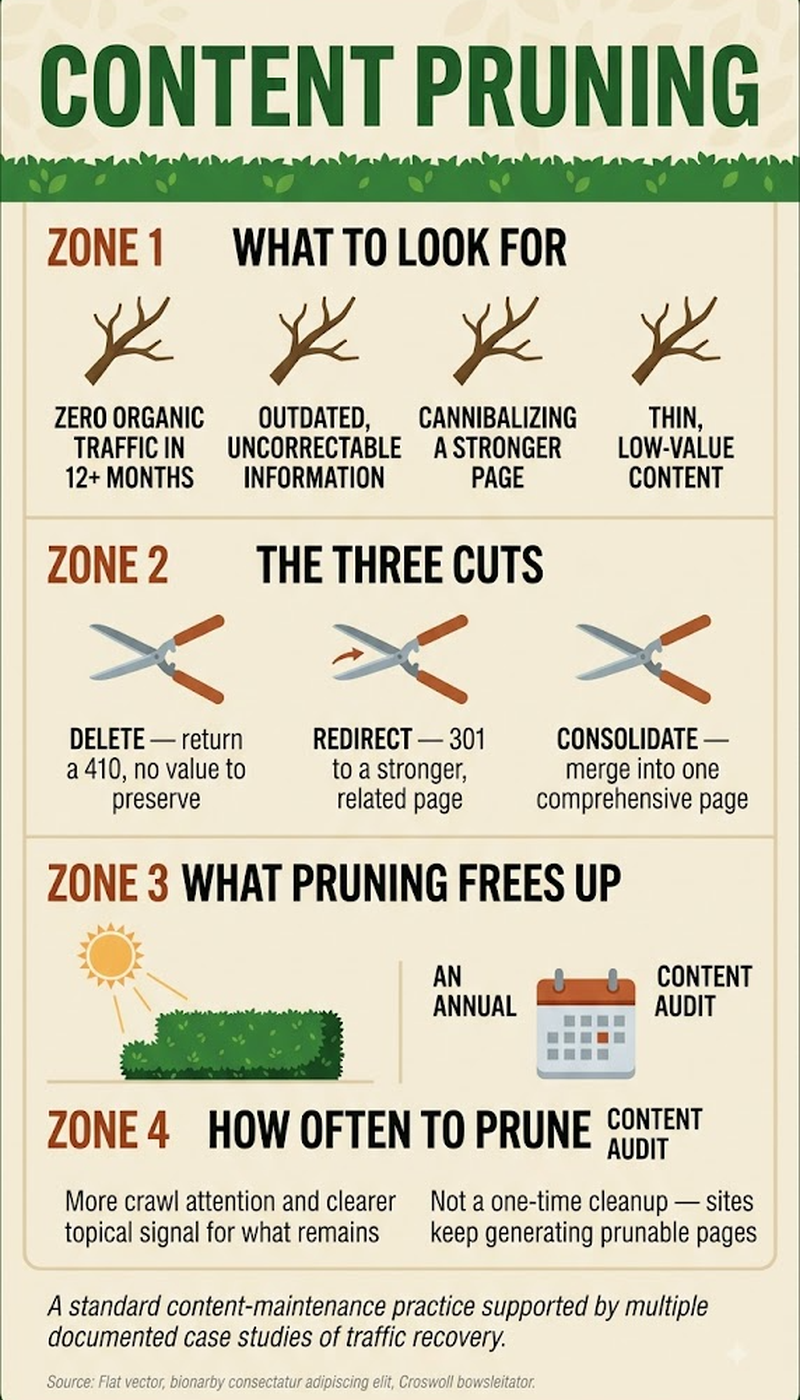
The four possible actions:
- Removal — delete the page (with proper redirect or 410). Right call when content is genuinely obsolete, duplicate, or never had value.
- Consolidation — merge overlapping pages into one stronger page. Right call when multiple thin pages cover the same topic redundantly.
- Improvement — substantially rewrite and expand the existing page. Right call when content has traffic/link value but is thin or outdated.
- No action — leave the page as-is. Right call when the page performs adequately or serves a non-SEO purpose.
How Do You Actually Decide Which Pages to Prune?
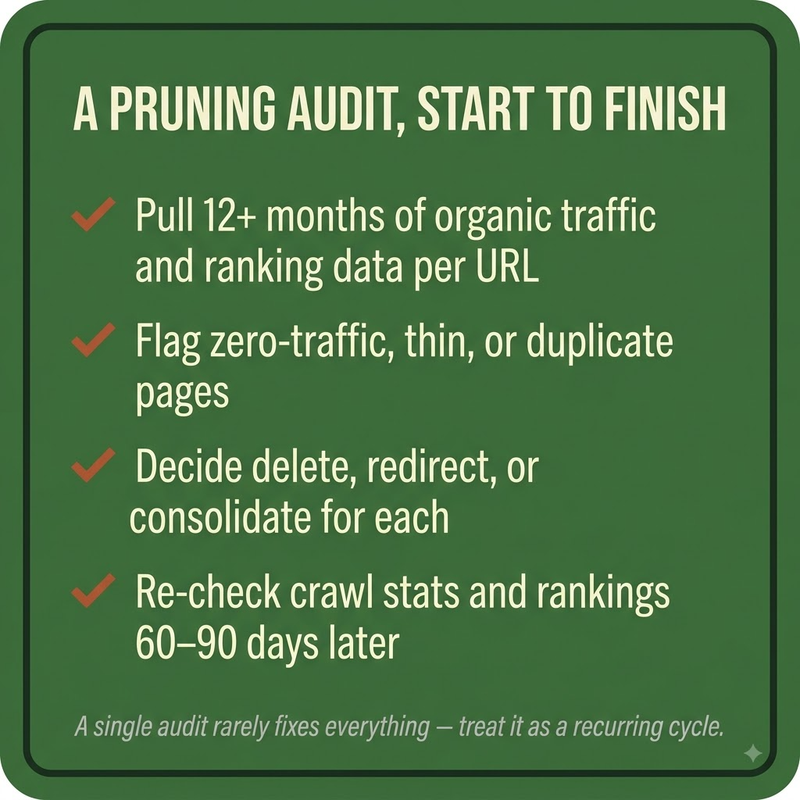
Deciding what to prune requires looking at more than a single traffic number, since a page with low current traffic might still hold real value that a narrow view would miss:
- Pull organic traffic and impressions data over a meaningful time window (at least 6-12 months) to distinguish genuinely low-value pages from seasonal or slow-building content.
- Check whether the page holds any backlinks — a page with low traffic but real earned backlinks is often a better candidate for improvement or redirect-consolidation than outright deletion.
- Review the page against current accuracy and relevance — genuinely outdated information (old statistics, deprecated practices, discontinued products) is a stronger pruning signal than low traffic alone.
- Identify overlapping or duplicate coverage across multiple pages targeting essentially the same query, which are strong consolidation candidates rather than simple deletions.
- Confirm the page doesn't serve a non-SEO business purpose (legal requirement, internal reference, low-traffic but high-conversion page) before removing it purely on organic performance grounds.
What Happens to a Page's URL After It's Pruned?
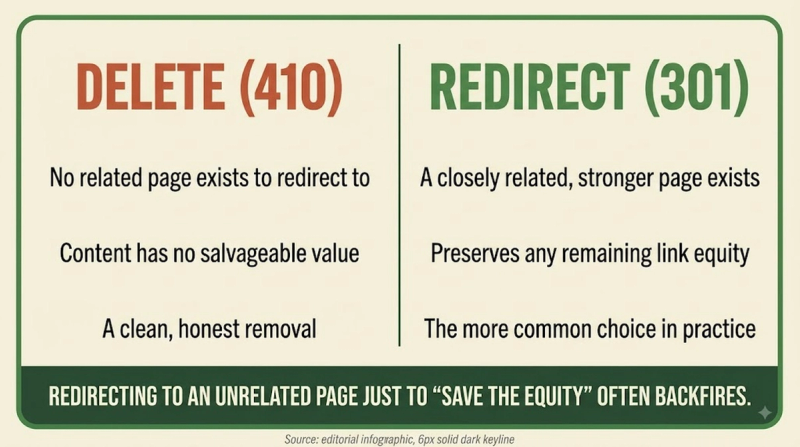
A pruned page's URL should almost never simply return a broken link — the standard practice is either a 301 redirect to the most relevant remaining page (if the content has a clear replacement or consolidation target) or a proper 410 "Gone" status if the content genuinely has no replacement and shouldn't be treated as temporarily missing. Using a 404 instead of a deliberate 410 for permanently removed content sends a weaker, more ambiguous signal to search engines about whether the removal is intentional. Redirecting every pruned page to an unrelated page purely to avoid a 404, on the other hand, is its own mistake — a redirect to genuinely irrelevant content can itself look manipulative and doesn't pass the same value a redirect to a truly relevant consolidation target does.
Frequently Asked Questions
How often should a site perform a content pruning review?
There's no fixed universal schedule, though an annual or semi-annual review is a common practical cadence for most sites, with more frequent reviews warranted for fast-changing topics or large content libraries.
Can content pruning hurt SEO if done carelessly?
Yes — removing pages that hold meaningful backlinks, seasonal traffic patterns, or non-obvious business value without proper analysis can lose real earned equity and traffic that a more careful review would have preserved.
Does content pruning apply to product pages on e-commerce sites, or mainly blog content?
It applies to both — discontinued product pages, outdated category pages, and thin blog content are all legitimate pruning candidates, though the specific criteria (like inventory status) differ by content type.
Should pruned content be preserved somewhere, or deleted entirely?
Removed content is typically kept in a content management system's archive or version history rather than permanently destroyed, even though it's no longer live and indexed on the site.
Does Google explicitly recommend content pruning as an official practice?
Google hasn't issued explicit pruning recommendations as an official ranking-improvement tactic, though its general quality guidance around comprehensive, non-redundant content aligns with the practical logic pruning is based on.
Can pruning too aggressively reduce a site's overall topical coverage?
Yes — over-pruning can inadvertently remove genuine topical breadth a site had built, which is why a careful case-by-case review matters more than applying a blanket rule based on traffic thresholds alone.
How long does it typically take to see results after a pruning project?
Results vary, but many documented case studies report measurable organic traffic changes within a few months of a significant pruning exercise, as search engines re-crawl and re-evaluate the site's remaining content.
Does content pruning affect a site's XML sitemap?
Yes — pruned pages should be removed from the XML sitemap once officially removed or redirected, since leaving obsolete URLs in the sitemap can create confusing signals about what content the site considers current and indexable.
Is there a minimum traffic threshold below which a page should always be pruned?
No universal threshold exists — the right decision depends on combining traffic data with backlink value, content accuracy, and business relevance rather than applying one fixed number across every page.
Can AI tools help identify content pruning candidates automatically?
AI-assisted analysis tools can help flag likely candidates by combining traffic, backlink, and content-freshness data at scale, though the final removal, consolidation, or improvement decision still benefits from human judgment given the business-context factors involved.


