
TL;DR. Content refresh work rarely gets the credit that publishing something new does, even though Databox found nearly 90% of marketers rate updating existing content as the more effective move. ClickRank's 2026 analysis found refreshed posts see up to 106% more organic traffic. One HubSpot article went from 2,731 to 12,573 monthly organic visits, a 360% jump, after a major overhaul. Most editorial calendars still prioritize new content anyway, which is exactly the gap a refresh strategy exploits.
What is a content refresh?
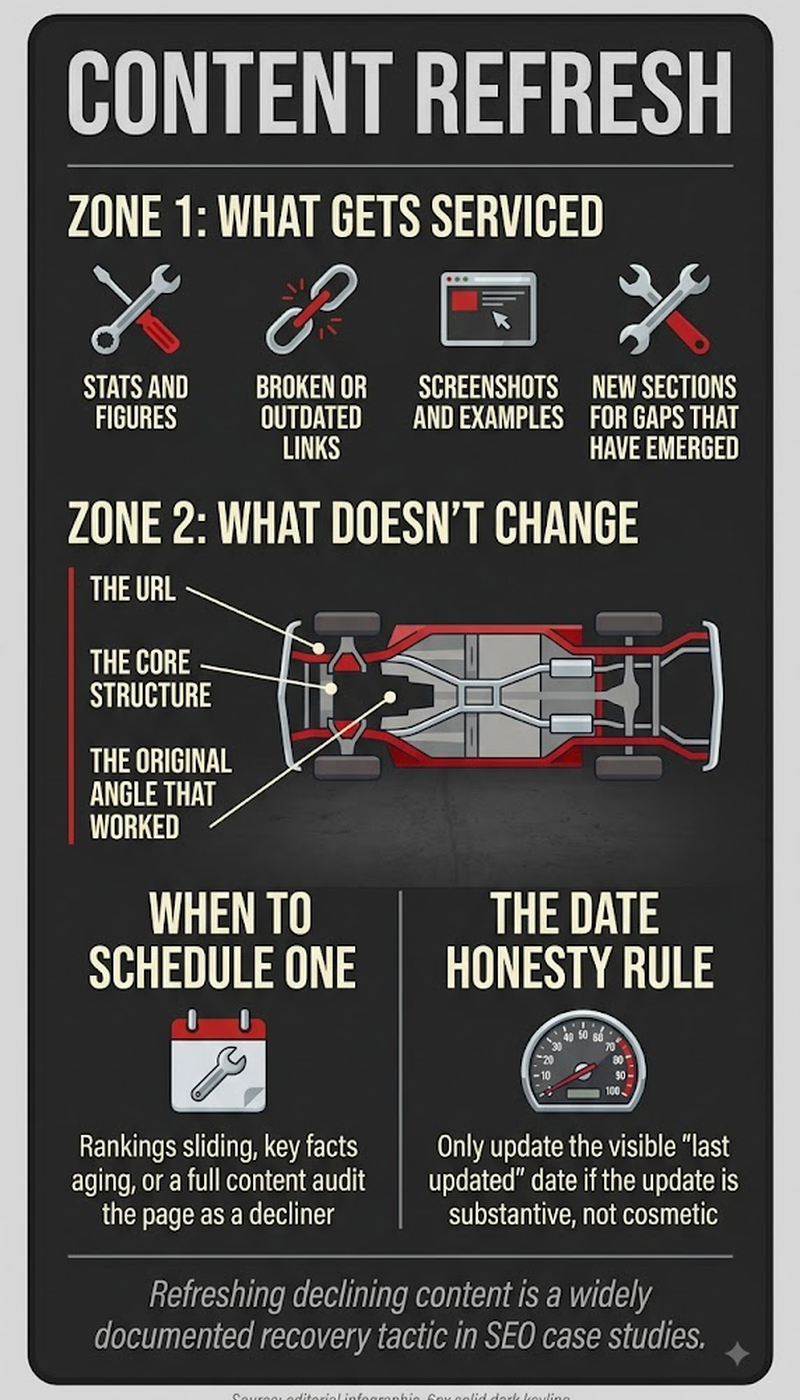
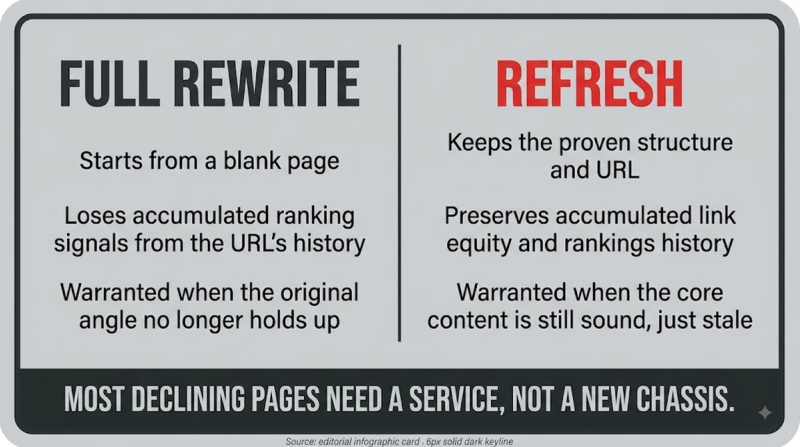
A content refresh is a targeted update to an already-published page aimed at restoring or improving its search performance: newer statistics swapped in, updated examples, expanded thin sections, tighter on-page SEO, and any topic gaps closed against whatever's currently ranking above it. A refresh differs from a full rewrite by building on a page's existing rankings and backlink equity instead of starting from zero. It differs from pruning by keeping the page live, rather than merging or removing it.
Key highlights
- ClickRank's 2026 analysis found updated posts see up to 106% more organic traffic than before the refresh.
- One HubSpot article recovered from 2,731 to 12,573 monthly organic visits, a 360% increase, after a major content overhaul, per RankArise's content refresh case study.
- Databox's survey found nearly 90% of marketers rate updating existing content as more effective than publishing something new, per content refresh strategy research, even though most editorial calendars still favor new posts.
- Initial ranking and impression movement typically shows up within 7 to 30 days of a refresh, with the larger traffic gains taking 30 to 90 days as Google fully processes the update, per Search Engine Land's refresh guide.
- Quarterly refresh cycles outperform annual ones by a meaningful margin, and Semrush's own recommendation lands on updating most blog content every 3 to 6 months.
Refresh vs pruning: same audit, opposite conclusion
Content refresh and content pruning start from the same audit but arrive at opposite conclusions for different pages. A refresh candidate already has backlink equity, ranks for valuable keywords, and mostly just needs current information, fresher statistics, or a tighter structure. A pruning candidate has none of that working in its favor: thin traffic, no backlinks, a topic with no independent value left. Refreshing it would be effort spent propping up a page with nothing underneath it to build on.
Knowing which side of that line a page falls on
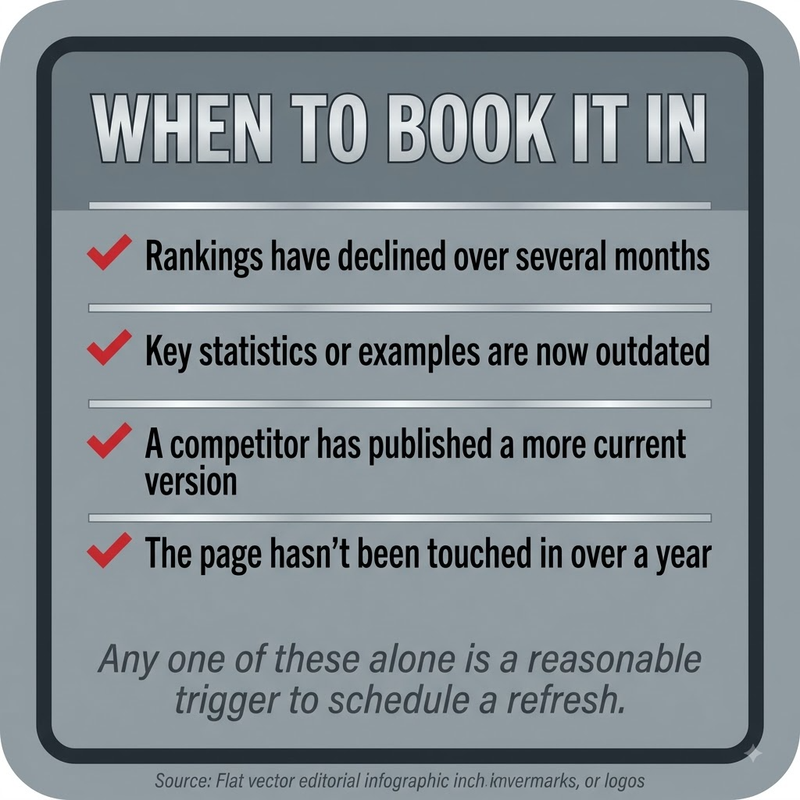
Refreshing makes sense once a page already sits somewhere on page one or two, has earned backlinks over time, and its core topic hasn't gone stale. The update compounds on signal the page already built, rather than starting from scratch. Pruning makes more sense once a page gets no meaningful traffic, has no backlinks, and its topic either stopped mattering or gets better coverage elsewhere on the same site. A refresh there would just be maintenance on a page with nothing left to maintain.
Running an actual refresh
- Audit the page's organic traffic over the past 6 to 12 months, its last-updated date, and its word count to confirm it's genuinely a refresh candidate and not a pruning one.
- Replace outdated statistics, studies, and external links, particularly anything several years old unless the source is genuinely evergreen.
- Run a topic gap analysis against the current top three ranking competitors and add whatever semantic subtopics they cover that the page is missing.
- Expand thin sections, any H2 or H3 running fewer than two or three substantial paragraphs, with real explanation rather than filler.
- Add or update internal links, both to the logical next step in a reader's journey and to other supporting pages on the site.
- Track the page's rankings and traffic for 4 to 8 weeks after republishing to confirm the refresh actually moved the needle.
Frequently asked questions
What counts as a content refresh, exactly?
A content refresh means updating an existing page's data, examples, structure, and on-page SEO, without deleting or merging it away. It's distinct from a full rewrite, because it builds on rankings and backlinks the page already has, rather than starting over.
Is refreshing content really more effective than writing something new?
Refreshing scores well against new content by marketer consensus. Databox's survey found nearly 90% rate it as the more effective move, even though most editorial calendars still lean toward publishing new posts instead. That's a gap that leaves refresh work underused, relative to how well it performs.
How do I know whether a page needs a refresh or should just get pruned?
A page earns a refresh when it already ranks somewhere on page one or two and has real backlink equity built up. A page belongs in the pruning pile instead when it has none of that: no meaningful traffic, no backlinks, and a topic that no longer holds independent value on the site.
How long before a refresh shows measurable results?
Initial movement in rankings and impressions typically appears within 7 to 30 days of a refresh, per Search Engine Land's guide. The bigger traffic gains generally take another 30 to 90 days, as Google finishes processing the update.
How often should a page actually get refreshed?
Semrush recommends refreshing most blog content every 3 to 6 months. Quarterly cycles have consistently outperformed annual ones, since search results and competitor content shift faster than a once-a-year update schedule can keep up with.


